StockFit for iPhone
Your strength,quoted like a market.
Every set you log becomes a price. Bench, squat and deadlift trade as stocks, muscle groups roll up into ETFs, and the whole thing sums into one Strength Index you can watch move week to week.
Free to use, with unlimited history. Requires iOS 18 or later.
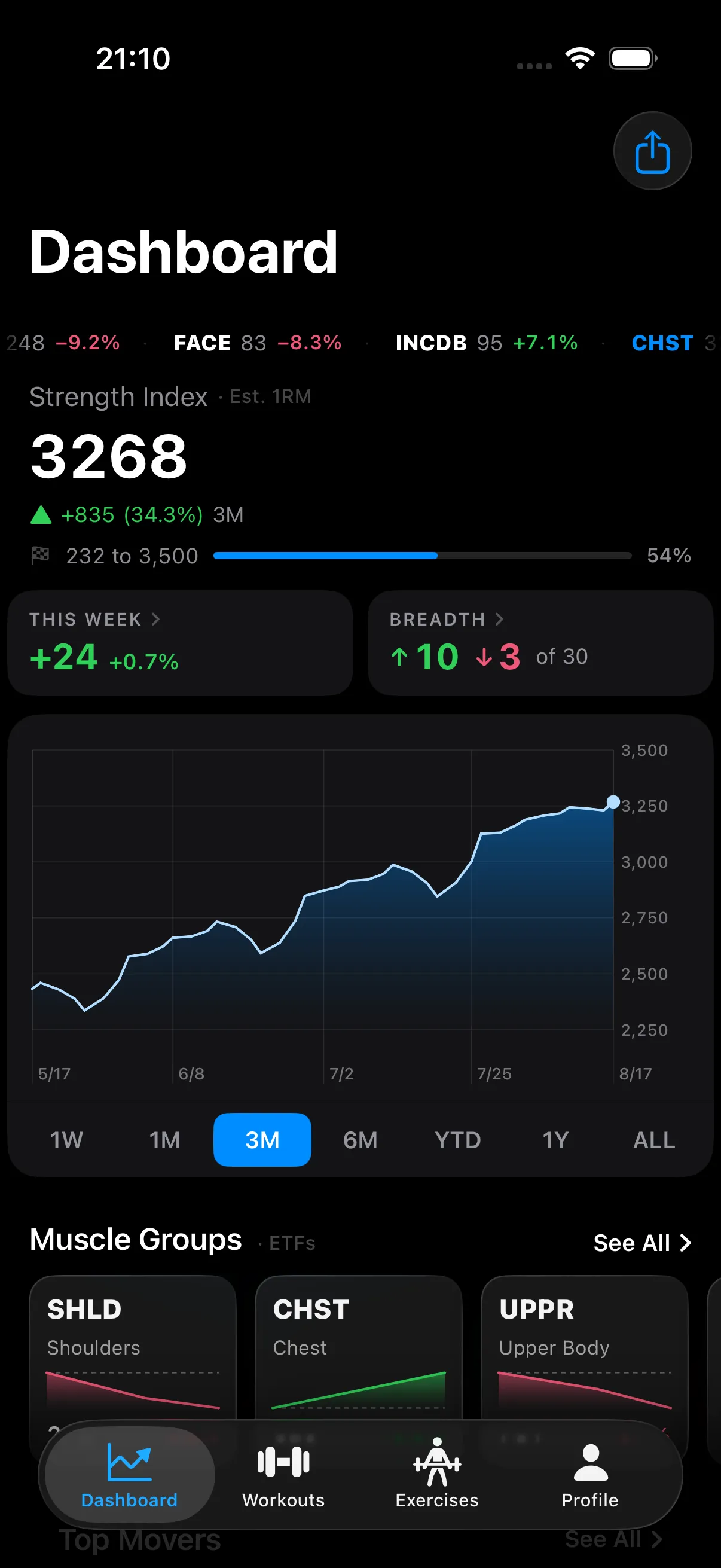
An illustrative ticker tape of StockFit symbols such as BENCH, SQUAT and DEAD. In the app these values are calculated from your own logged sets.
- 100%
- Stays on your iPhone
- None
- Accounts to create
- Zero
- Trackers and ad SDKs
- Never
- Internet required
What it does
A tracker that finally shows you the trend.
Logging sets is the easy part. Knowing whether three months of it actually went anywhere is the part every notes app and spreadsheet gets wrong. StockFit answers it the way a portfolio answers it — with a price, a chart, and a number that either went up or did not.
The portfolio
Thirty stocks, fifteen baskets, one index.
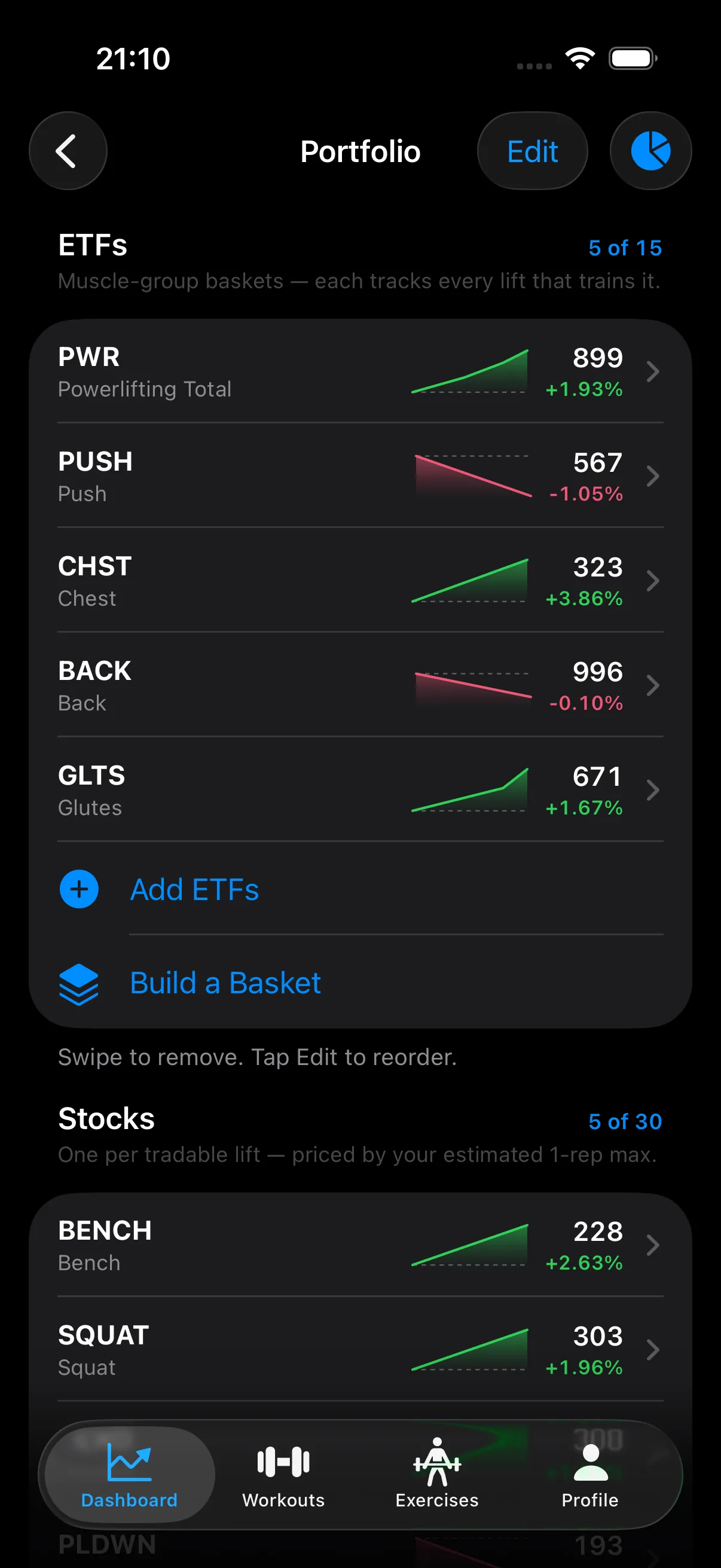
Each tracked lift gets a ticker whose price is your estimated one-rep max for it —BENCH, SQUAT,DEAD. Muscle groups aggregate into ETFs likePUSH and GLTS,PWR holds the powerlifting total, and you can build your own baskets from the lifts you care about.
Every row carries a one-week sparkline and its move, so a glance tells you what is climbing and what has gone quiet.
On the gym floor
Logging that keeps up between sets.
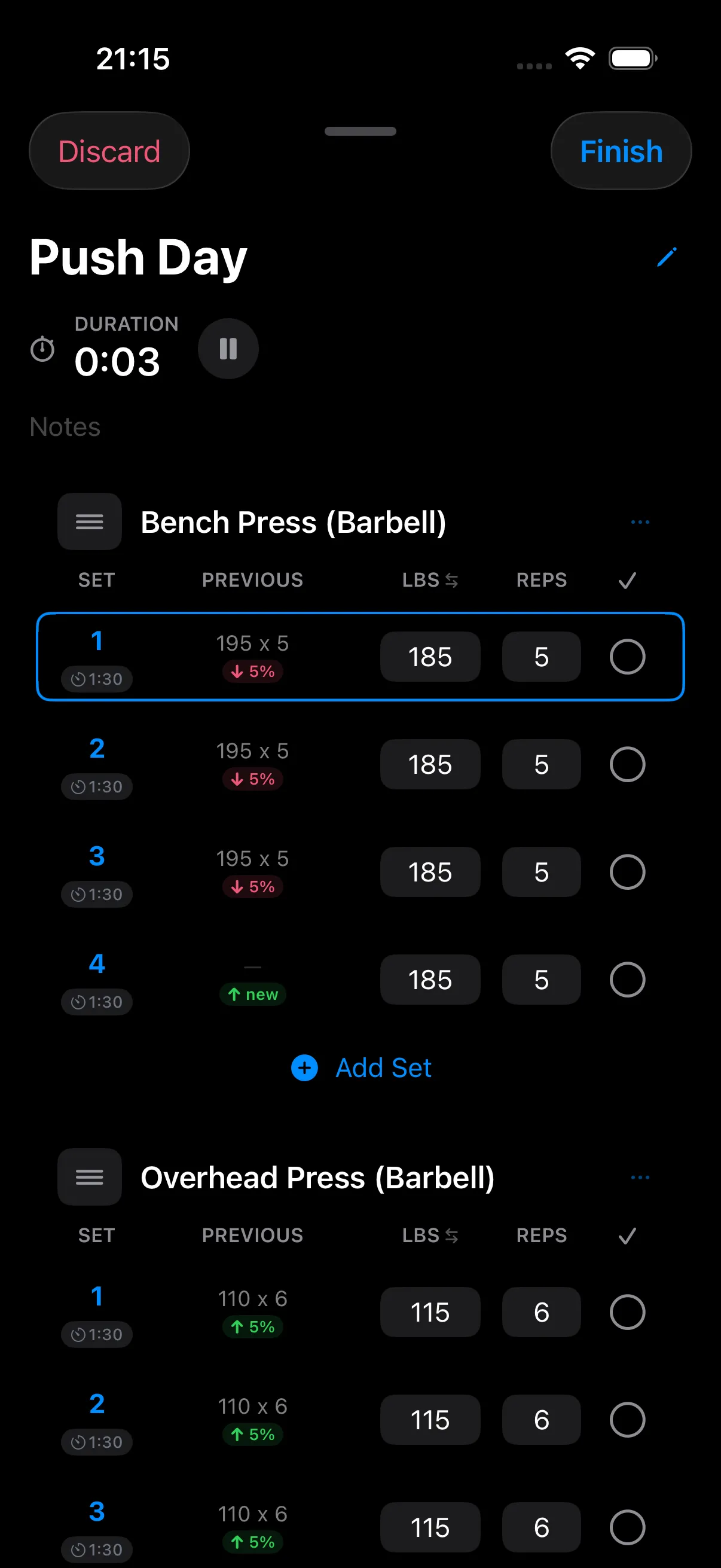
Every row shows what you did last time and how today compares, so you are never guessing at the weight. The current set stays framed as you work down the card, rest starts on its own when you tick a set off, and a gold badge lands when you beat your all-time best rather than just last week's.
Need to take a call mid-session? Minimize the workout to a bar, do the thing, come back. Nothing pauses behind your back and nothing is lost.
Coverage and estimates
Earnings day, every session.
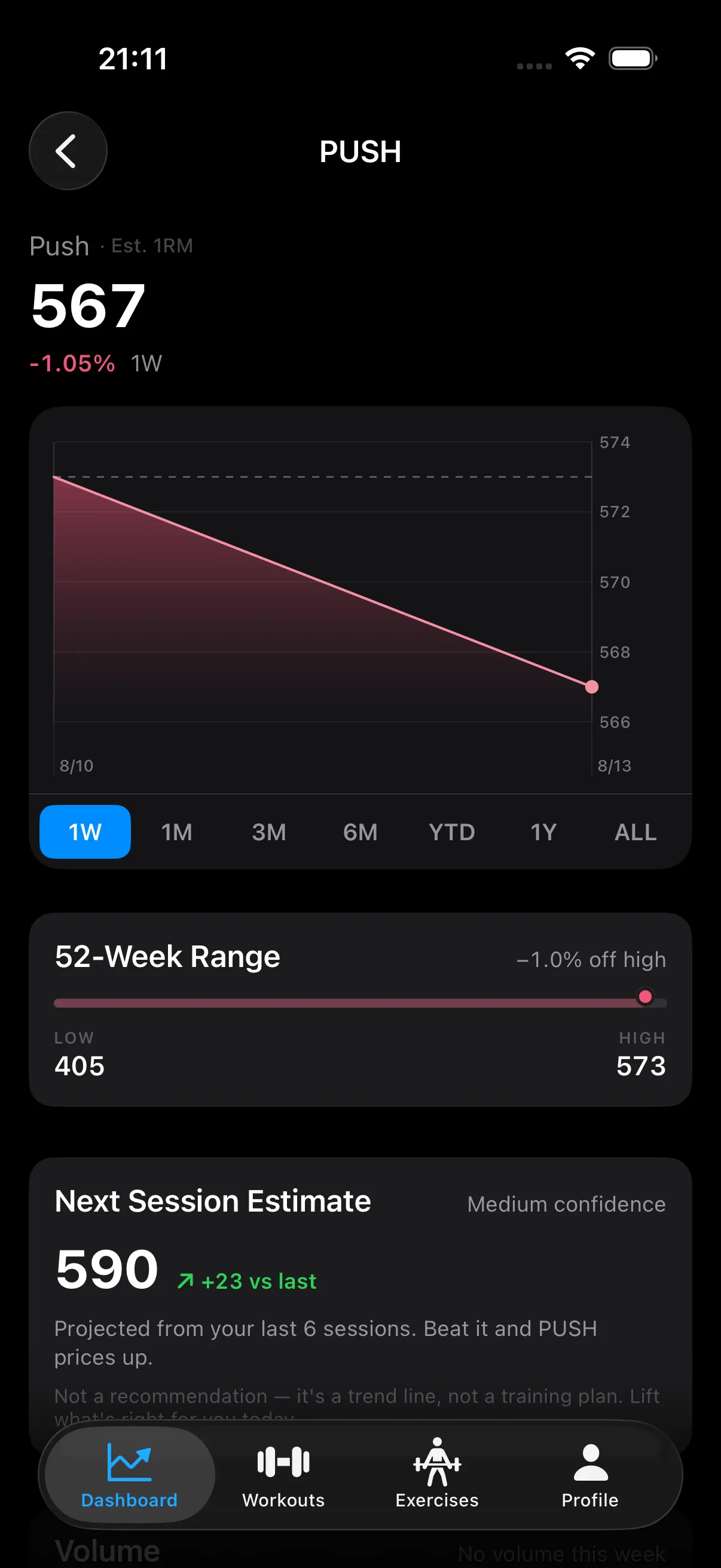
Each position carries a 52-week range, its volume, and a next-session estimate fitted from your recent sessions with a confidence label. Train it, and the session gets an earnings verdict against that projection: BEAT,MET or MISSED.
It is a trend line, not a training plan — and the app says exactly that, right under the number. What you lift on the day is your call.
The receipts
Every session kept, every week summed up.
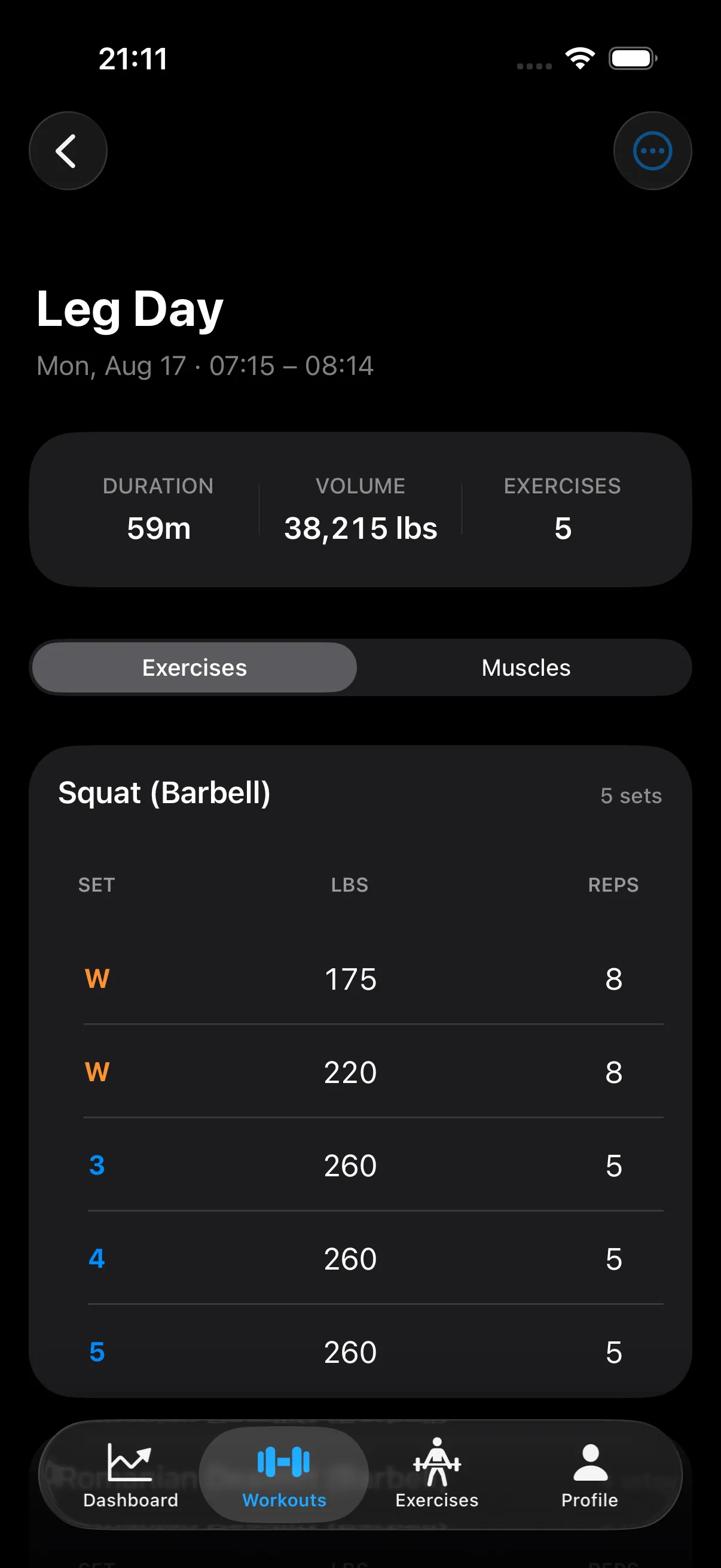
Finished workouts keep their full detail — duration, volume, every set, warm-ups marked separately so they never inflate an estimate. History is unlimited on the free tier, because a training log you can outgrow is not a training log.
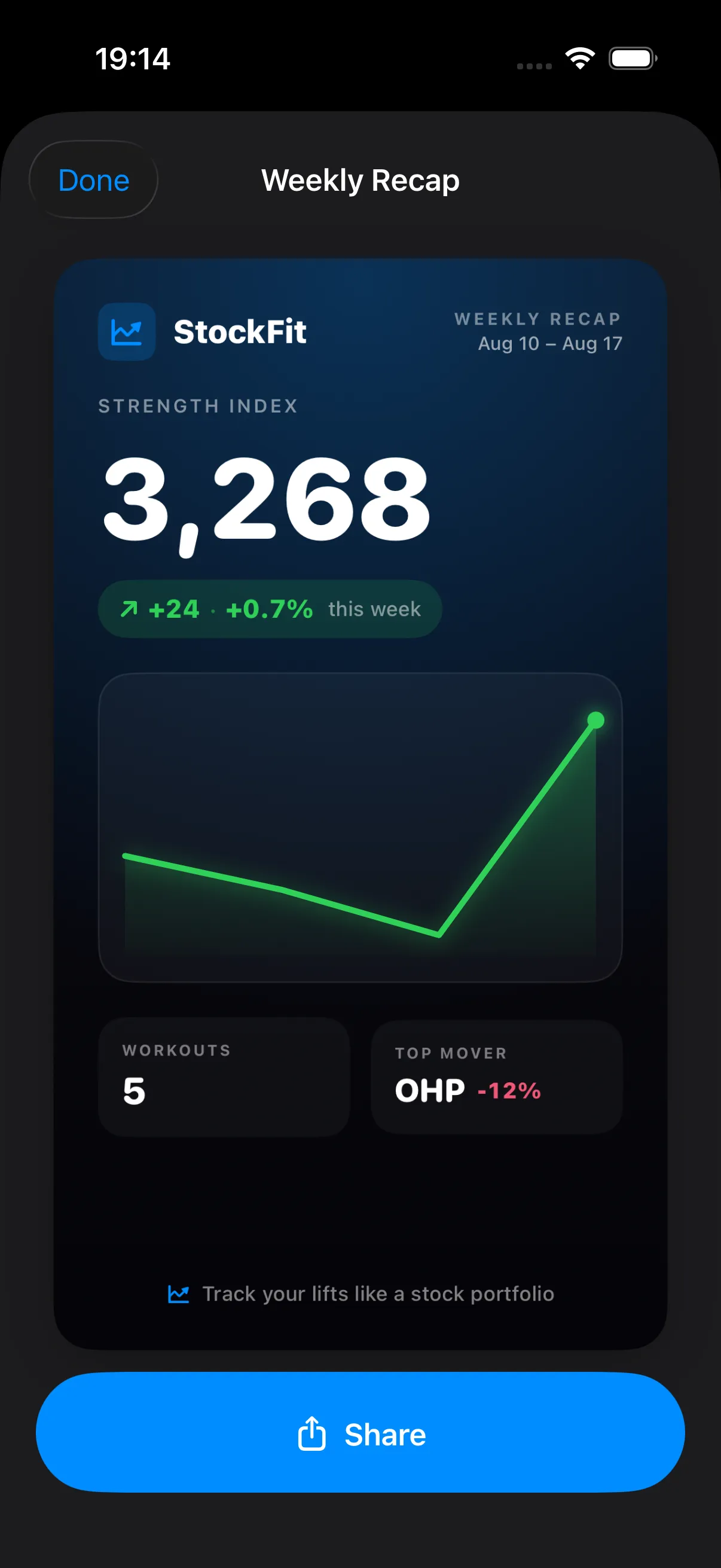
At the end of the week there is a recap card worth sending to whoever you train with.
And the rest
The unglamorous things, done properly.
Rest timer that follows you out of the app
Per-set rest times start the moment you tick a set off. Lock the phone and the countdown keeps going on your Lock Screen as a Live Activity, turning green the second it is time for the next set.
Muscle heatmap after every session
Front and back body maps shade by how much each muscle actually took, derived from per-exercise contribution weights rather than a single tag per lift.
A 400-exercise library
Filter by body part or equipment, sorted by what people actually do. Equipment variants are separate exercises, so an incline dumbbell press tracks its own progression.
Routines, supersets and merges
Build routines, drag to reorder, group supersets, and merge two routines into one session when the gym is busy and you have to improvise.
Send a routine to a friend
Share as a file or straight to a nearby phone over peer-to-peer Wi-Fi. Routines travel device to device and never pass through a server.
Warm-up and plate calculators
Work out the warm-up ramp to a target weight, and what to hang on the bar to hit it, without leaving the set you are in.
Training calendar and milestones
A lifetime calendar of every session with streaks, progress photos per day, and index milestones that land when you cross them.
Cardio and CSV export
Log time, distance and estimated calories alongside the iron. Export a single workout or your whole history as CSV whenever you want it out.
On-device by design
Your training data never leaves your phone.
Not as a setting you have to find — as the way the app is built. There is no server to send anything to. No account, no email, no sign-in. No analytics SDK, no ad network, no crash reporter of ours, no identifier for advertisers.
Everything the app calculates — every price, chart, estimate, verdict and heatmap — is computed on the device from the sets you typed in. The only things that ever leave are the ones you deliberately send: a CSV export, or a routine you share.
Read the privacy policyNo account
Open the app and start logging. There is nothing to sign up for.
Works with no signal
A basement gym, a plane, airplane mode — all the same to it.
Nothing sold, ever
We have no data about you to sell, share or trade.
Yours to take out
Export your full history as CSV, one row per set, whenever you like.
Pricing
Free where it counts. StockFit+ for the analysis.
Unlimited workout history is free and always will be. StockFit+ unlocks the market layer built on top of it.
StockFit
Free
No card, no account, no trial to expire.
- Unlimited workout history
- Unlimited logging, supersets and cardio
- The Strength Index and its chart
- Rest timer, Live Activity and notifications
- The full 400-exercise library
- CSV export and app themes
StockFit+
7-day free trial$4.99/month
or $29.99/year — about half the cost of paying monthly.
The trial takes no payment method and creates no subscription. There is nothing to cancel.
- The full portfolio — every lift stock and muscle-group ETF
- Custom baskets built from the lifts you choose
- Next-session estimates and earnings verdicts
- Allocation, rotation and breadth analysis
- Post-workout muscle heatmap
- Lifetime training calendar and progress photos
- Per-exercise progress charts and unlimited routines
- Routine sharing, warm-up and plate calculators
Prices in USD. Apple sets the local equivalent in other storefronts, and the price shown in the App Store at purchase applies. Both plans are auto-renewable subscriptions charged to your Apple Account, renewing unless cancelled at least 24 hours before the period ends. Manage or cancel in Settings ▸ your name ▸ Subscriptions. Refunds are handled by Apple. See the Terms of Use for the full subscription terms.
Start pricing your progress.
Log one session and the market opens. Log ten and you will know, for the first time, exactly which way your training is going.
StockFit is a fitness tracker made by Summer Labs LLC. The stocks, ETFs, index, earnings and estimates are a visualization of your own logged training — they are not securities, investments or money, and nothing here is financial advice. StockFit is not a medical device and does not provide medical or health advice. Consult a qualified professional before starting a new exercise program.